

















Free public Wi-Fi can be useful when you are travelling, commuting or working away from home, but it is not always secure. The UK’s National Cyber Security Centre warns that connecting to public or otherwise insecure networks can allow attackers on the same network to intercept or modify your data.
That does not mean you should never use public Wi-Fi. It does mean you should treat it as less trustworthy than your home broadband or mobile data connection.
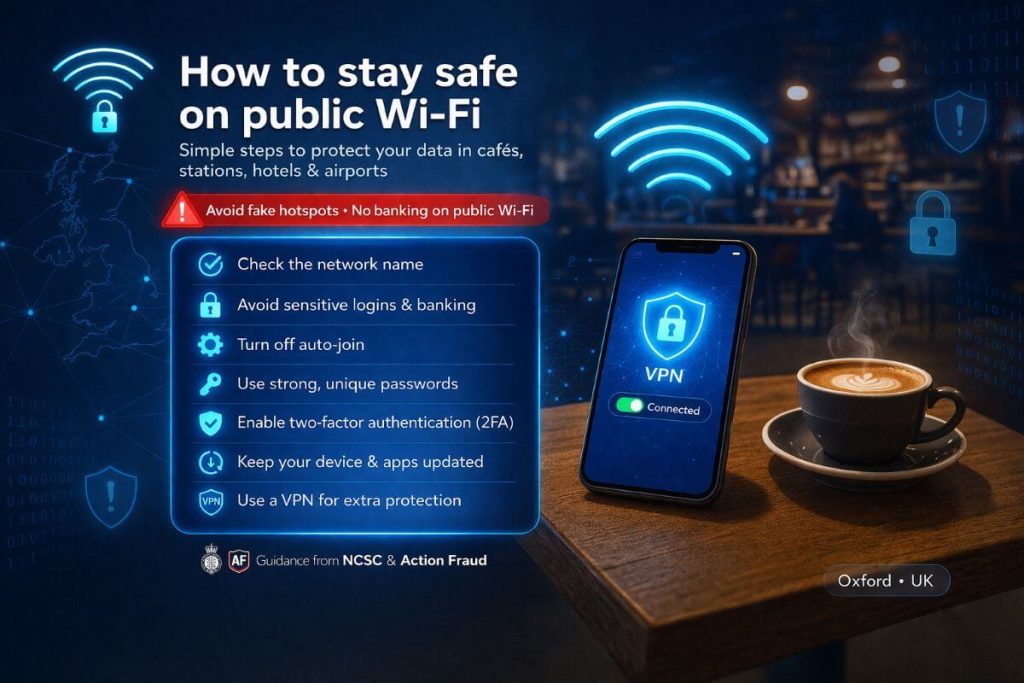
Quick safety checklist
Before you connect, keep these basics in mind:
- Check the network name with staff or official signage
- Avoid banking, payments and sensitive work logins
- Turn off auto-join on your device
- Use different passwords for different accounts
- Turn on two-factor authentication for important accounts
- Keep your phone, laptop and apps updated
- Use mobile data or a personal hotspot for sensitive tasks where possible
- Forget the network after use on shared or public connections
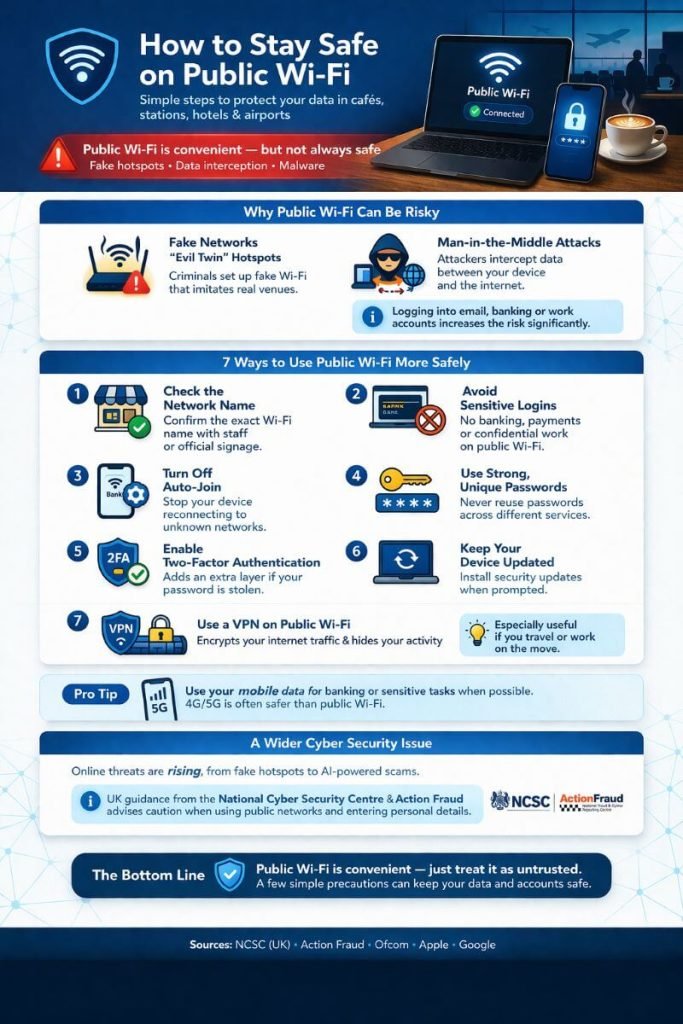
Why public Wi-Fi can be risky
Not every public network is protected to the same standard. Some are poorly secured, while others may be deliberately set up to look genuine when they are not.
One common trick is the “evil twin” hotspot. This is a fake network designed to imitate a real café, hotel or station connection. If you join it by mistake, the person running it may be able to monitor your activity or capture information you send. Public Wi-Fi users can also be exposed to man-in-the-middle attacks, where an attacker places themselves between your device and the network to intercept data.
The cyber crime risk becomes more serious if you sign into email, banking, work systems or any service holding personal or financial data.
How to use public Wi-Fi more safely
Check the network name first
Before connecting, confirm the exact Wi-Fi name with staff, official posters or the venue website. Do not assume the strongest-looking signal or the most familiar name is legitimate.
Avoid sensitive logins
Try not to access online banking, payment accounts, NHS records, confidential work platforms or anything else highly sensitive while using public Wi-Fi. The NCSC’s guidance for small organisations recommends using 3G, 4G or equivalent tethering for sensitive data rather than public hotspots where possible.
Turn off auto-join
Many phones and laptops reconnect to known networks automatically. Turning that setting off reduces the risk of your device joining a rogue hotspot without you noticing.
Use strong, different passwords
Password reuse makes a bad situation worse. If one account is compromised, shared passwords give attackers a route into other services. The NCSC advises stronger password practices as part of wider account security.
Enable two-factor authentication
Two-factor authentication, sometimes called 2FA or 2SV, adds an extra layer of protection if your password is stolen. The NCSC specifically recommends it for important accounts such as email.
Keep your device and apps updated
Security updates patch known weaknesses. The NCSC says operating systems and apps should be kept up to date because updates often close security holes that attackers can exploit.
Check for HTTPS
If you are entering information on a website, make sure the page uses HTTPS and shows the padlock symbol in your browser. This does not make a risky network safe on its own, but it does help protect the connection between your device and the website.
Turn off file sharing and similar features
If your laptop or phone has file sharing, AirDrop, network discovery or similar local sharing features enabled, switch them off on public networks. That reduces the number of ways other devices nearby could interact with yours.
Forget the network afterwards
Once you leave, remove the network from your saved Wi-Fi list if you do not plan to use it again. That makes it less likely your device will reconnect automatically later.
Consider a VPN if you use public Wi-Fi regularly
A virtual private network, or VPN, encrypts your internet traffic and can make it harder for other people on the same network to see what you are doing. It is not a magic fix, but it can be a useful extra layer of protection, especially for people who travel often or work on the move. The NCSC’s small business guidance also points to VPNs as one option when sensitive data must be sent away from trusted networks.
If you regularly use public Wi-Fi, some people choose to use a VPN as an extra layer of protection. If you are considering one, it is worth researching providers carefully and comparing features and costs, including looking at guides to the best VPN deals in the UK.
A wider cyber security issue
Public Wi-Fi safety is only one part of basic online security. The NCSC’s broader consumer advice for individuals and families also stresses the importance of securing devices, protecting personal data and using two-step verification to reduce the impact of stolen passwords.
In practical terms, good everyday habits still matter most. Be careful which networks you trust, avoid high-risk activity on public connections, keep your software updated and add extra protection to your important accounts.
The bottom line
Public Wi-Fi is convenient, but convenience should not come at the expense of security.
If you treat public networks as potentially unsafe, avoid sensitive tasks where possible and take a few simple precautions before you connect, you can reduce the chances of your information being exposed.